
Mobile Legends Gift Card
This gift card is only redeemable on the e-commerce platform
Top up for Mobile Legends in-game content
No Account Required
Instant Delivery
Private and Safe
Mobile Legends top-up adds in-game currency for personal use. Use it for virtual items and access to available game content, including characters, maps, levels, and additional features.
- Virtual items: Add in-game currency for items available within Mobile Legends: Bang Bang
- Characters: Access additional characters available in the game
- Maps and levels: Get access to additional maps, levels, and other game content
- Game features: Use currency for available in-game features and downloadable content
Buy Mobile Legends Gift Card with crypto such as Bitcoin, Ethereum, USDT, USDC, Solana, Binance Pay and many more.
- Select the package you wish to purchase.
- Enter your user ID "UID", you can find it on the career page.
- The Diamonds will be automatically added to your account.


10%
NordVPN International
1 Month Subscription - 1 Year Subscription
Roblox USD
$10 - $500
Age of Empires Mobile International
99 Apex Coin - 9,999 Apex Coin

5%
Bankless.com International
1 Year Subscription
Bitrefill eSIM Cuba
1GB, 7 Days - Unlimited, 10 Days
5%
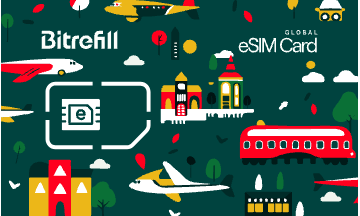
Bitrefill eSIM Global
1GB, 7 Days - Unlimited, 15 Days
Bitrefill Gift Card (EUR)
€0.1 - €1500
Bitrefill Gift Card (USD)
$0.1 - $2000
How bills work

Add your bill details
Find your bill by browsing through the categories, then add your credit card number or account number for bills like your mortgage, and the amount to pay.

Pay with any payment method
Your payment is confirmed the same minute in most cases.
Frequently asked questions
Check out our Knowledge Base page for more FAQs
Diamonds are the in-game currency for Mobile Legends: Bang Bang. They can be used inside the game to acquire virtual items such as characters, downloadable content, and access to additional features.
If a Mobile Legends account stays inactive for more than 6 months, Moonton can delete or deactivate it, and any unused Diamonds or other virtual items in that account are forfeited with no refund.
Mobile Legends does not accept crypto, but you can purchase Mobile Legends gift cards on Bitrefill using Bitcoin or another cryptocurrency.
- Enter the amount you want the Mobile Legends gift card to have.
- Choose the cryptocurrency you want to use for payment, such as Bitcoin, Bitcoin Lightning, Ethereum, USDT, USDC, Litecoin, Dogecoin or Dash. Alternatively you can pay using Binance Pay.
- Once your payment is confirmed, you will get your Mobile Legends gift card code.
Once you have purchased an Mobile Legends gift card at Bitrefill, it will be emailed to you almost instantly. Or you can redeem the gift card directly from the checkout page.
Some great gift cards that people usually buy are Steam USD, Free Fire Diamonds MXN LATAM, Free Fire Direct, Mobile Legends Diamonds and Nintendo eShop USA. You can find a lot more options by visiting the gift card section.